

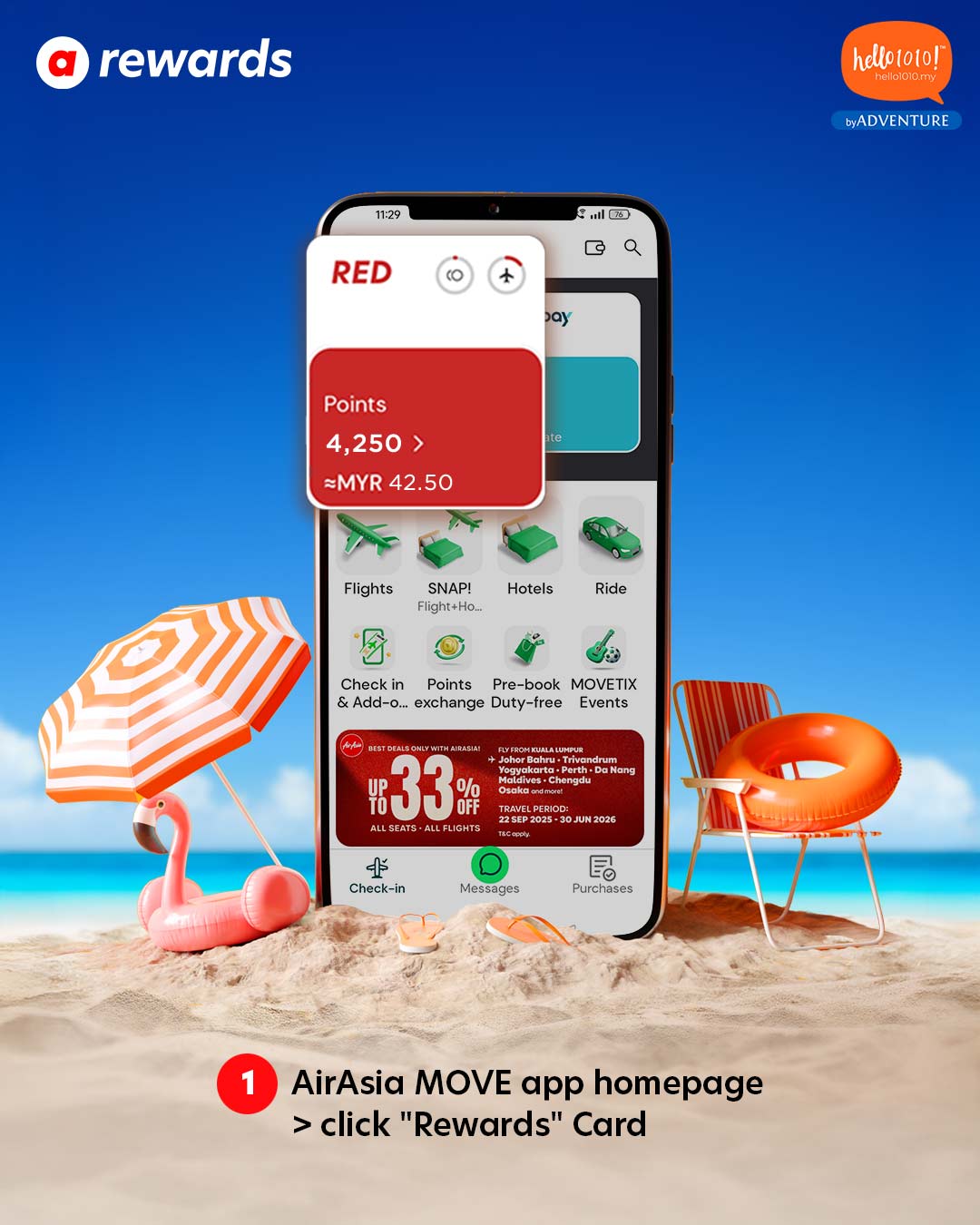
Step 1
Go to the AirAsia Move app homepage and tap on the "Rewards" card.

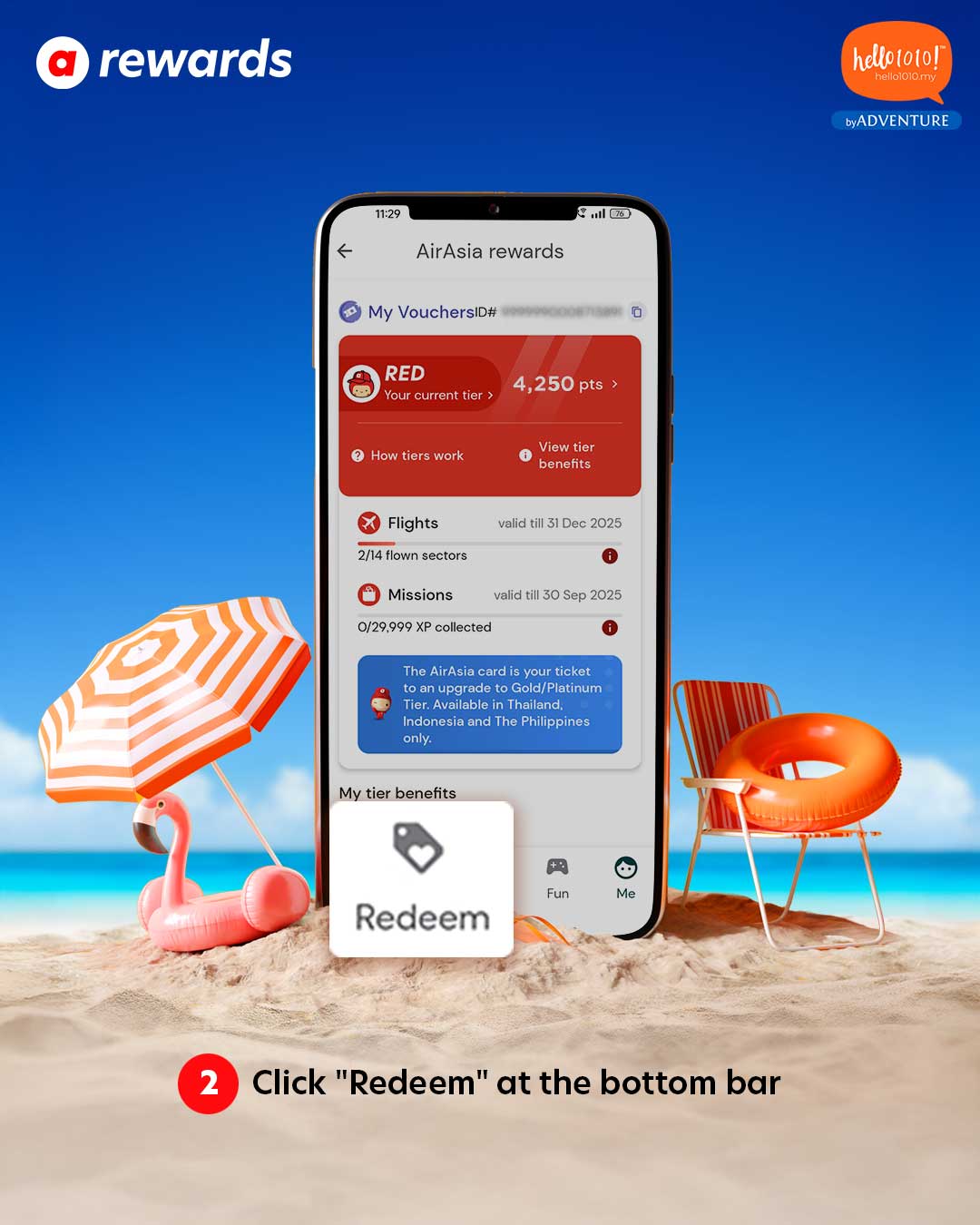
Step 2
On the app's homepage, tap "Redeem" located on the bottom navigation bar.

Step 3 & 4
Scroll through the category icons until you find the "Travel" icon, then tap on it.


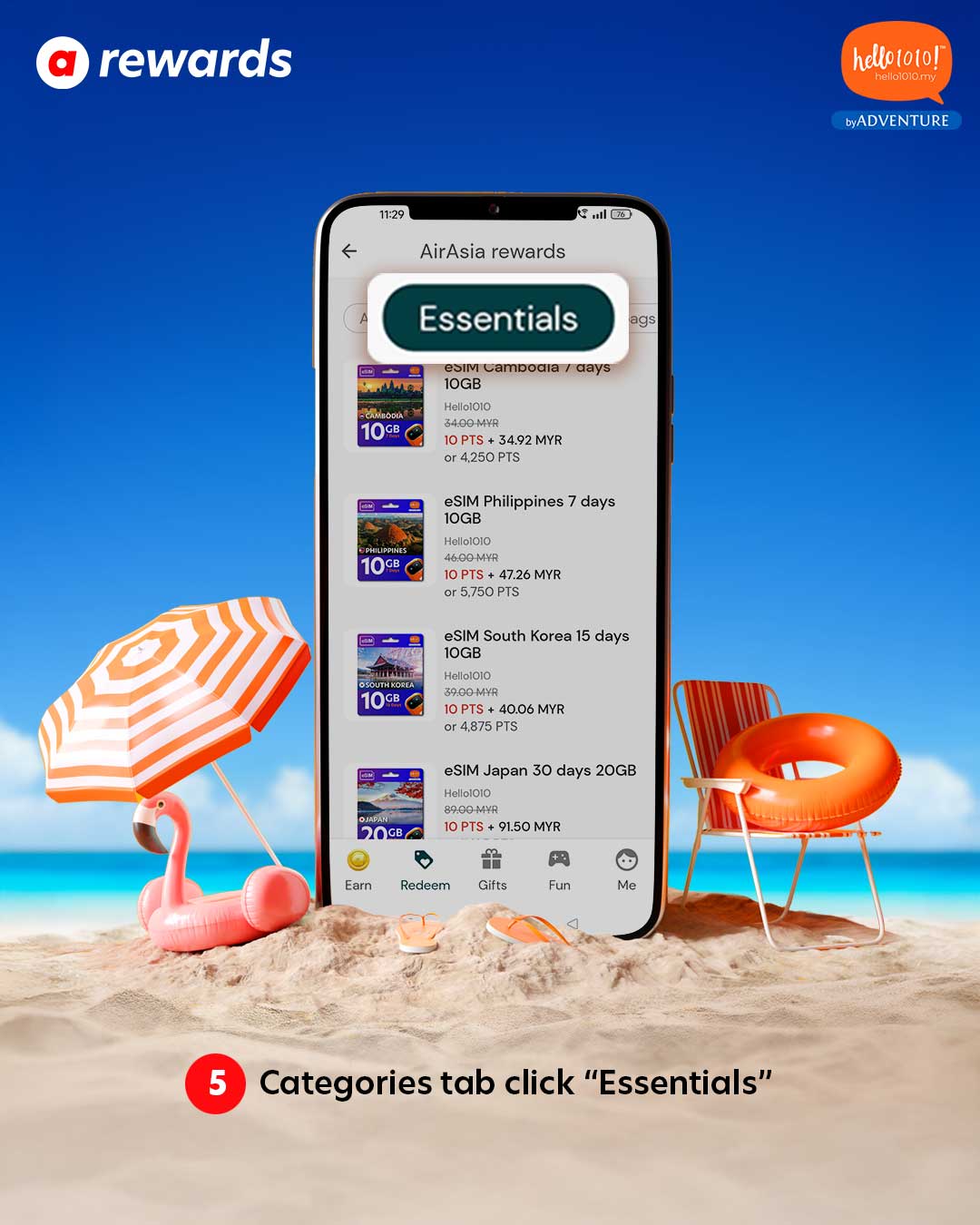
Step 5
In the Categories tab, tap on "Essentials" to view available Hello1010 eSIM

Step 6
Select the Hello1010 eSIM you wish to purchase, then proceed to "Checkout".
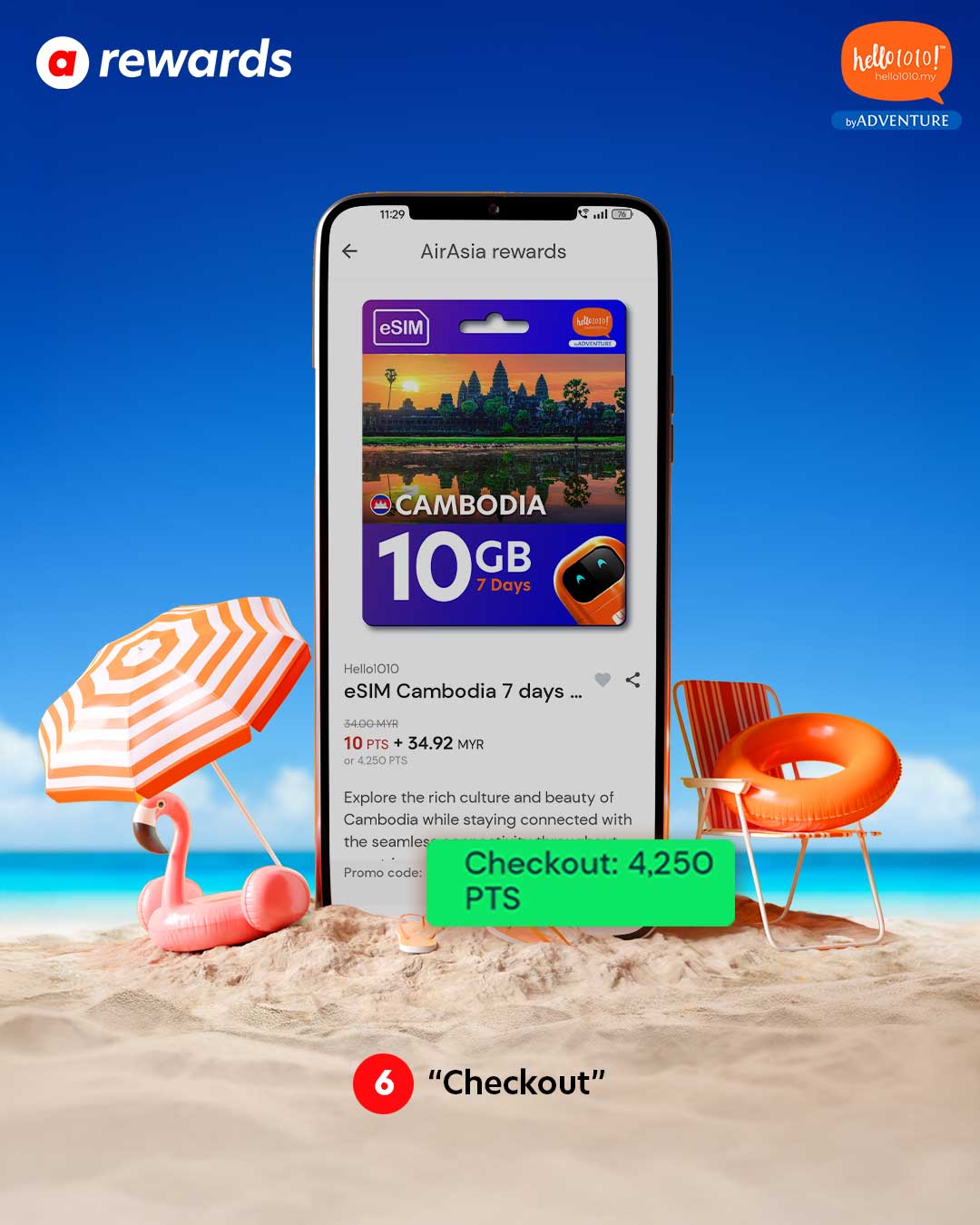

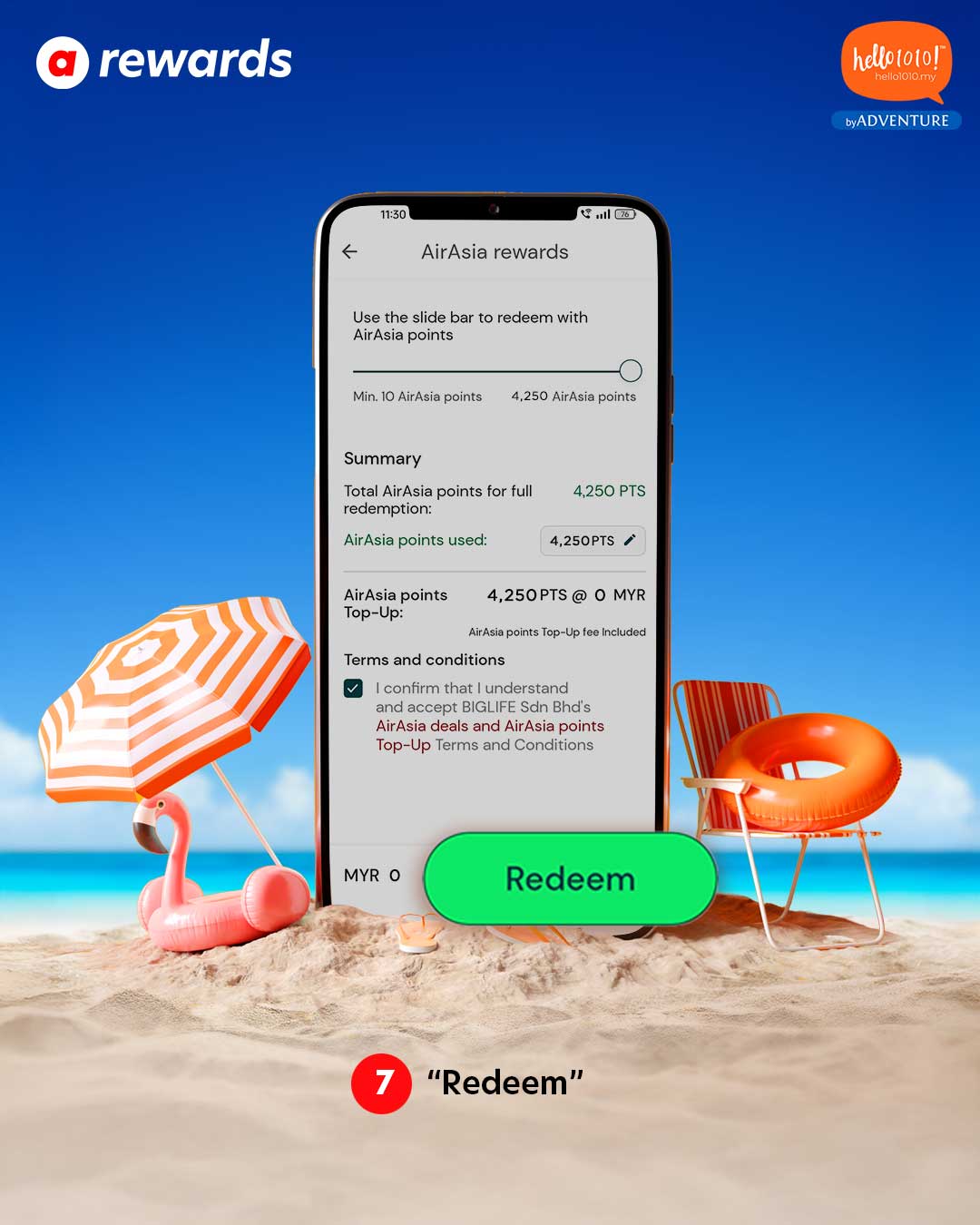
Step 7
"Redeem" with your points and enjoy seamless connectivity with Hello1010 eSIM during your travels.

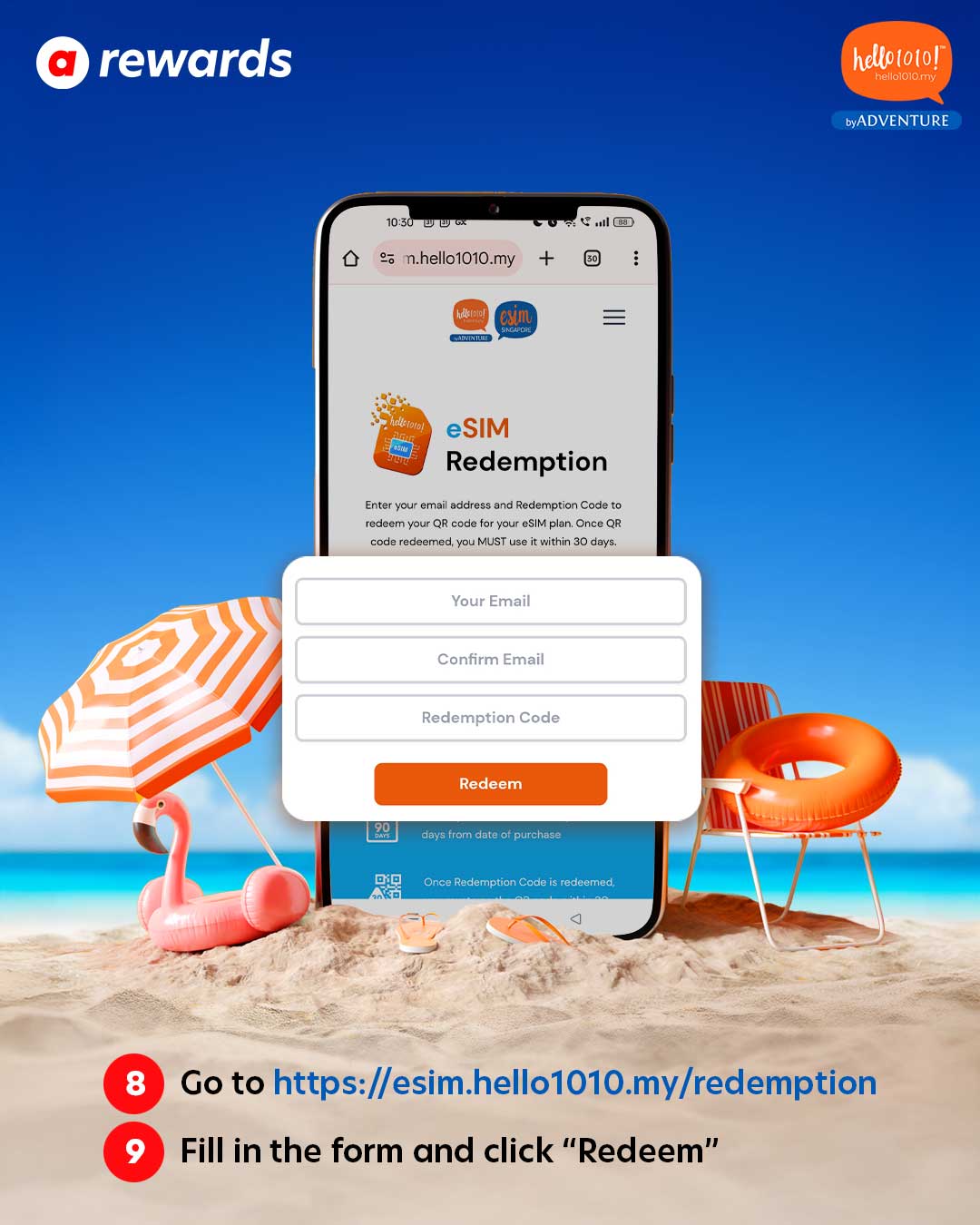
Step 8 & 9
Go to https://esim.hello1010.my/redemption, fill in the form, and click "Redeem".

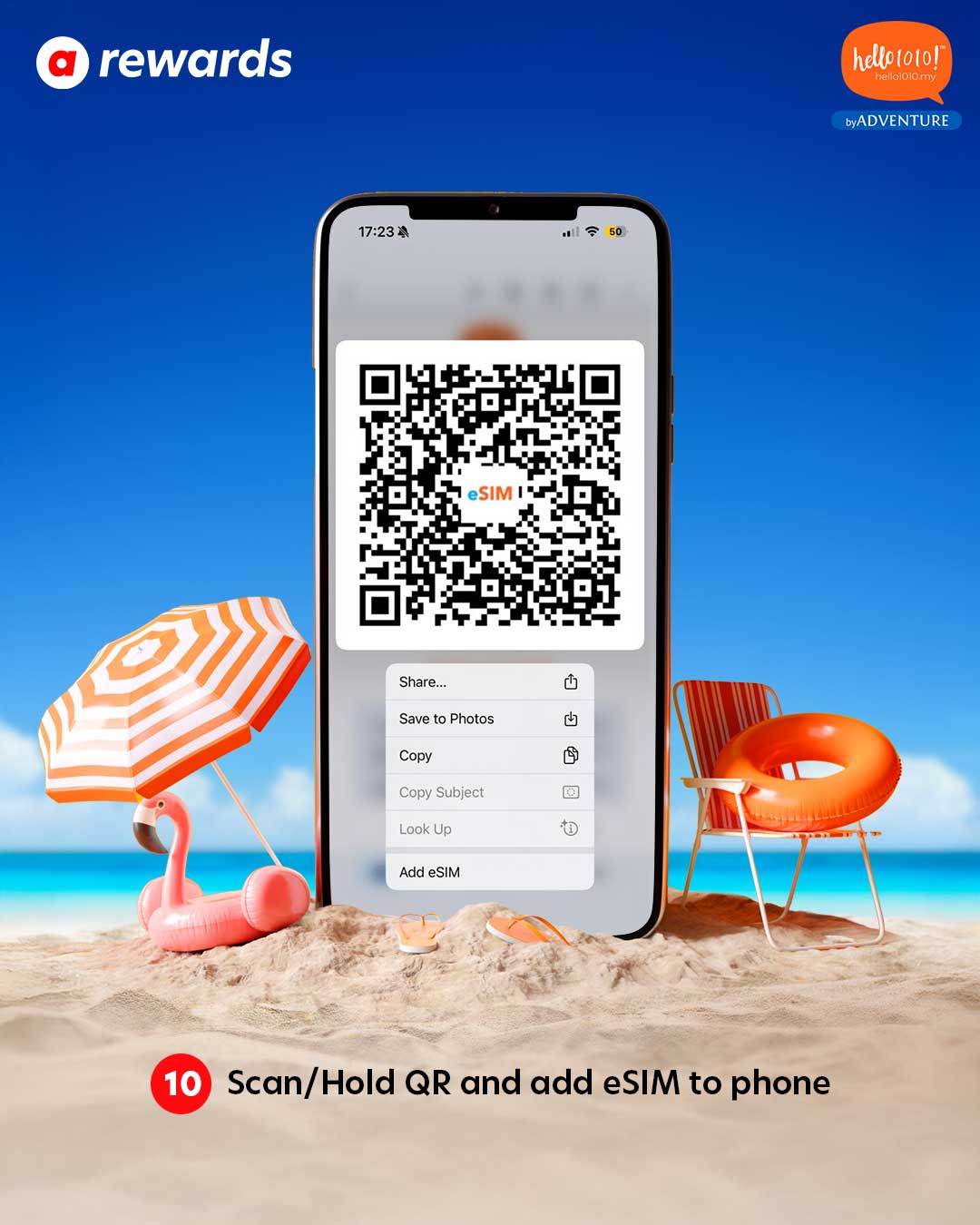
Step 10
Scan or hold the QR code to add the eSIM to your phone.

Popular eSIMs
-
Regular priceFrom RM26.90Regular price
RM49.00Sale priceFrom RM26.90Unit pricepereSIM Japan Infinite Data -
Regular priceRM19.90Regular price
RM46.00Sale priceRM19.90 Save RM26.10 (57%)Unit pricepereSIM Thailand DTAC -
Regular priceFrom RM9.90Regular price
RM12.00Sale priceFrom RM9.90Unit pricepereSIM Greater China -
Regular priceFrom RM22.90Regular price
RM25.00Sale priceFrom RM22.90Unit pricepereSIM Tune Talk Malaysia (Requires Registration)


