View Quick Guide
for HK & Macau Travel Prepaid SIM Card
How to use this SIM
Insert SIM card. Slot 1 for dual SIM phones.
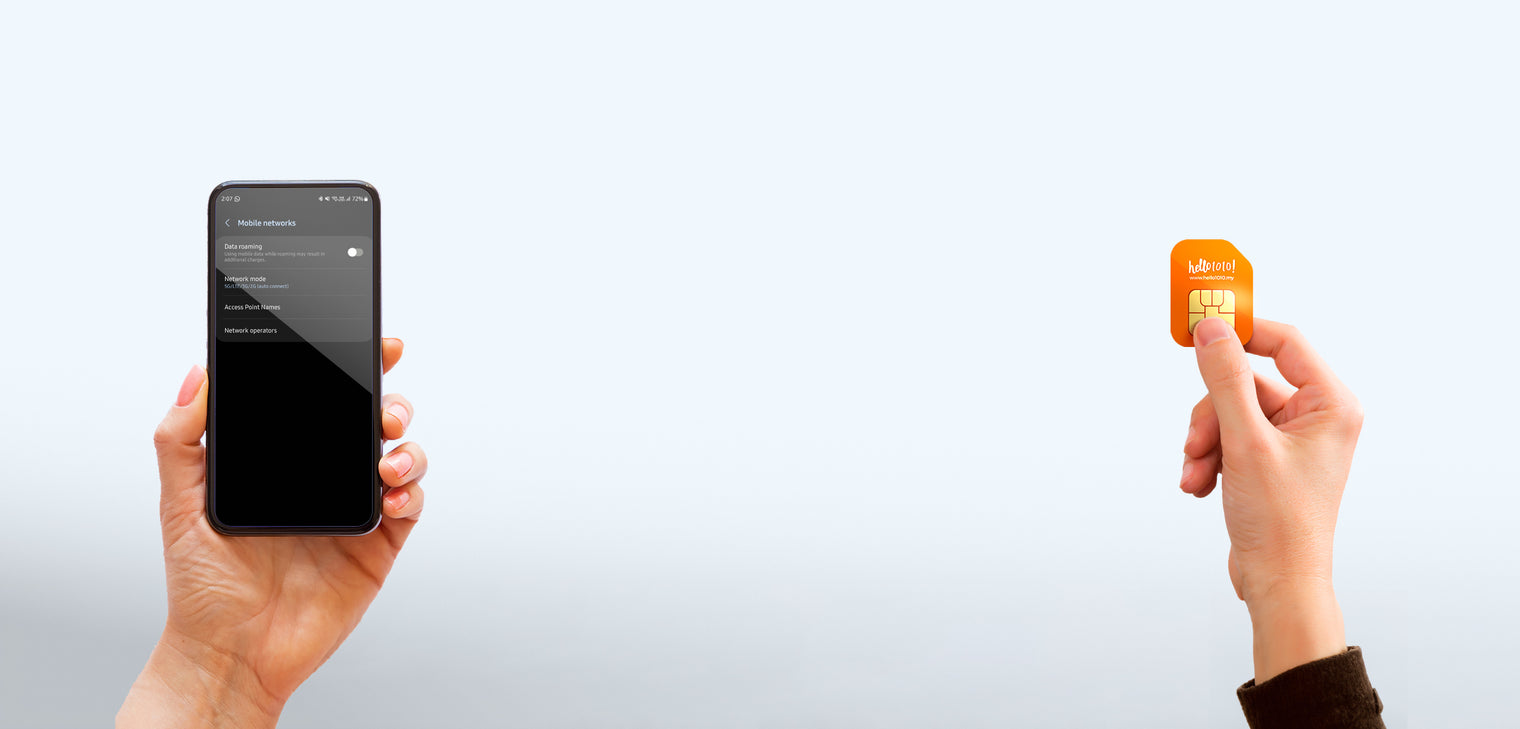
Turn on Data Roaming and Mobile Data. Settings > Mobile Networks.
Restart your phone, or turn Airplane mode on and off, then wait a while.
If it still will not connect, set the APN
Android, where
Settings > Mobile Network > Access Point Names > Add
Android, Name
mobile
Android, APN
mobile
iPhone, where
Settings > Mobile Data > Mobile Data Network
iPhone, APN
mobile
Restart your phone after saving the APN.
Or select the network manually
Hong Kong: SmarTone, HKT, 3HK
Macau: CTM
Card specifications
10GB data. Data is cut off once the quota is used up.
15 days, counted daily to 12am GMT+8.
No registration required.
Cannot top up, cannot make calls nor SMS.
This plan does not support TikTok or ChatGPT.
Refer to the label on the SIM card to see your plan details.
Check balance
Unable to check data balance. Please track data usage through your phone settings.
Important
Device compatibility: this SIM is not compatible with Samsung Galaxy S10, S10e, S10+ and Z Flip 1, Samsung A Series models released before 2020, Oppo Reno 8 Pro, all Vivo X Series, Realme GT Neo 3, all Google Pixel models, or any other phone model released before 2020.
Taiwan Travel Prepaid SIM Card
30 Days | 10GB or 20GB Data | Use before 30/04/2027
View Quick Guide
for Taiwan Travel Prepaid SIM Card
How to use this SIM
Insert SIM card. Slot 1 for dual SIM phones.
Turn on Data Roaming and Mobile Data. Settings > Mobile Networks.
Restart your phone, or turn Airplane mode on and off, then wait a while.
If it still will not connect, set the APN
Android, where
Settings > Mobile Network > Access Point Names > Add
Android, Name
mobile
Android, APN
mobile.three.com.hk
iPhone, where
Settings > Mobile Data > Mobile Data Network
iPhone, APN
mobile.three.com.hk
Restart your phone after saving the APN.
Or select the network manually
ChungHwa
Card specifications
Chung Hwa Telecom network
Cannot top up, cannot make calls nor SMS
This plan does not support TikTok and ChatGPT
Refer to the label on the SIM card to see your plan details
Check balance
Unable to check data balance. Please track data usage through your phone settings.
Important
Device compatibility:this SIM is not compatible with Samsung Galaxy S10, S10e, S10+ and Z Flip 1, Samsung A Series models released before 2020, Oppo Reno 8 Pro, all Vivo X Series, Realme GT Neo 3, all Google Pixel models, or any other phone model released before 2020.
South Korea Unicom 5 Days Travel Prepaid SIM Card
5 Days | 10GB high-speed data, then unlimited data at 256kbps | 20 Mins Local Call | Hotspot | Use before 20/12/2026
View Quick Guide
for Malaysia, Singapore, Indonesia, Thailand Unicom 8 Days Prepaid SIM
How to use this SIM
Insert SIM card. Slot 1 for dual SIM phones.
Turn on Data Roaming and Mobile Data. Settings > Mobile Networks.
If it still will not connect, set the APN
Android, where
Settings > Mobile Network > Access Point Names > Add
Android, Name
3gnet
Android, APN
3gnet
iPhone, where
Settings > Mobile Data > Mobile Data Network
iPhone, APN
3gnet
Restart your phone after saving the APN.
Or select the network manually
DIGI in Malaysia
Starhub/Singtel in Singapore
AIS in Thailand (Cannot be used in Golok, Pattani, Betong, Danok, weak in small and rural areas)
Indosat in Indonesia (Cannot be used in Padang)
Card specifications
20 mins local calls (comes with Hong Kong phone number)
Supports Hotspot
No registration required
Check balance
Dial *118*50#
Calls and phone number
Dial the country code of where you are calling, +60 Malaysia, +65 Singapore, +66 Thailand or +62 Indonesia, followed by the number. Note: this SIM comes with a Hong Kong number.
Guide reference: UC-ITMS-NHC
Vietnam Unicom Travel Prepaid SIM Card
8 Days | 15GB Data | 20 Minutes Local Call | Use before 31/03/2027
View Quick Guide
for UK & Europe (72 Countries) Three 100GB Prepaid SIM
How to use this SIM
Activation is based on the departure date you provide. If you have not given us your date of departure, please WhatsApp us on +6013 399 1010. If you have already provided the date, ignore this step and go to step 2.
Insert the SIM when you reach your destination and turn on Mobile Data. If you are outside the UK, turn on Data Roaming. For dual SIM phones, ensure only this SIM is inserted in slot 1. You may insert your other SIM card after this card is working.
If it still will not connect, set the APN
Android, where
Settings > Mobile Network > Access Point Names > Add
Android, Name
three.co.uk
Android, APN
three.co.uk
iPhone, where
Settings > Mobile Data > Mobile Data Network. Enter the APN in all APN columns.
iPhone, APN
three.co.uk
Restart your phone after saving the APN.
Card specifications
Unlimited calls and SMS within the local country, in the UK and Europe only. Cross-country and toll free numbers are not included.
Hotspot enabled in UK and Europe
Ad Hoc Promo: your plan may be upgraded based on ongoing promotion by the telco. Refer to the website for more information.
Countries and networks
Countries
Telco
United Kingdom
Three
Australia
Optus, Telstra, Vodafone
Austria
Hutchison Drei Austria
Belgium
BASE
Brazil
Vivo
Bulgaria
Globul, Vivacom
Chile
Claro, Entel
Colombia
*Colombia must be activated in any of the listed countries first
Movistar, Tigo
Costa Rica
Claro, Kolbi ICE
Croatia
Tele2 Croatia, T-Hrvatski Telekom
Cyprus
MTN, PrimeTel
Czech Republic
Telefonica O2, T-Mobile CZ
Denmark
3 Denmark
El Salvador
Claro, Digicel
Estonia
Elisa, Tele2
Finland
Alands Mobiltelefon, DNA, Elisa
France
Bouygues, Free Mobile, Orange
Germany
O2 Germany, T-Mobile
Gibraltar
GIBTEL
Greece
Cosmote, Wind Hellas
Guatemala
Tigo, Telefonica
Guernsey
Sure
Hong Kong
3 Hong Kong
Hungary
Telenor, T-Mobile (Westel)
Iceland
Nova
Indonesia
Hutchison 3 Indonesia
Ireland
3 Ireland, O2 Ireland
Isle of Man
Sure
Italy
3 Italy, Wind
Jersey
Airtel Jersey, Sure
Latvia
Tele2 Latvia
Liechtenstein
Orange
Lithuania
Tele2
Luxembourg
Orange
Macau
3 Macau
Malta
Go Mobile
Netherlands
KPN Mobile, T-Mobile
New Zealand
2degrees, Spark
Nicaragua
Movistar
Norway
Telenor
Panama
Digicel
Peru
Movistar
Poland
Play, T-Mobile
Portugal
NOS
Puerto Rico
AT&T, T-Mobile
Romania
Cosmote
Slovakia
Slovak Telecom, Telefonica O2 Slovakia
Slovenia
Mobitel, Tusmobil Slovenia
Singapore
M1, Singtel, Starhub
Spain
Telefonica Movistar, Yoigo
Sri Lanka
Etisalat, Hutchison
Sweden
3 Sweden
Switzerland
Salt Mobile SA, Sunrise
USA
AT&T, T-Mobile USA
Uruguay
Movistar
US Virgin Islands
AT&T
Vietnam
Vietnamobile, Viettel
Check balance
Search for and install the Three app from Google Play or the App Store.
Calls and phone number
Check your phone number at https://checksim.hello1010.my/ by entering the card's ICCID. To make calls locally, add the country code. For example, in France calling a France number, dial +33 xxxxxx.
Top up
Top up via the Three app. Your current plan can only be re-subscribed after 30 days. You can check current data add-ons in the Three app.
Important
Only insert the SIM in the listed countries or the plan may be suspended. See the country list on the product page.
UK & Europe (72 Countries) Three 200GB Prepaid SIM
30 Days | 200GB Data (18GB outside UK) | Usable In 72 Countries | Unlimited Local Calls & SMS | Hotspot in UK & Europe only
View Quick Guide
for UK & Europe (72 Countries) Three 200GB Prepaid SIM
How to use this SIM
Activation is based on the departure date you provide. If you have not given us your date of departure, please WhatsApp us on +6013 399 1010. If you have already provided the date, ignore this step and go to step 2.
Insert the SIM when you reach your destination and turn on Mobile Data. If you are outside the UK, turn on Data Roaming. For dual SIM phones, ensure only this SIM is inserted in slot 1. You may insert your other SIM card after this card is working.
If it still will not connect, set the APN
Android, where
Settings > Mobile Network > Access Point Names > Add
Android, Name
three.co.uk
Android, APN
three.co.uk
iPhone, where
Settings > Mobile Data > Mobile Data Network. Enter the APN in all APN columns.
iPhone, APN
three.co.uk
Restart your phone after saving the APN.
Card specifications
Unlimited calls and SMS within the local country, in the UK and Europe only. Cross-country and toll free numbers are not included.
Hotspot enabled in UK and Europe
Ad Hoc Promo: your plan may be upgraded based on ongoing promotion by the telco. Refer to the website for more information.
Countries and networks
Countries
Telco
United Kingdom
Three
Australia
Optus, Telstra, Vodafone
Austria
Hutchison Drei Austria
Belgium
BASE
Brazil
Vivo
Bulgaria
Globul, Vivacom
Chile
Claro, Entel
Colombia
*Colombia must be activated in any of the listed countries first
Movistar, Tigo
Costa Rica
Claro, Kolbi ICE
Croatia
Tele2 Croatia, T-Hrvatski Telekom
Cyprus
MTN, PrimeTel
Czech Republic
Telefonica O2, T-Mobile CZ
Denmark
3 Denmark
El Salvador
Claro, Digicel
Estonia
Elisa, Tele2
Finland
Alands Mobiltelefon, DNA, Elisa
France
Bouygues, Free Mobile, Orange
Germany
O2 Germany, T-Mobile
Gibraltar
GIBTEL
Greece
Cosmote, Wind Hellas
Guatemala
Tigo, Telefonica
Guernsey
Sure
Hong Kong
3 Hong Kong
Hungary
Telenor, T-Mobile (Westel)
Iceland
Nova
Indonesia
Hutchison 3 Indonesia
Ireland
3 Ireland, O2 Ireland
Isle of Man
Sure
Italy
3 Italy, Wind
Jersey
Airtel Jersey, Sure
Latvia
Tele2 Latvia
Liechtenstein
Orange
Lithuania
Tele2
Luxembourg
Orange
Macau
3 Macau
Malta
Go Mobile
Netherlands
KPN Mobile, T-Mobile
New Zealand
2degrees, Spark
Nicaragua
Movistar
Norway
Telenor
Panama
Digicel
Peru
Movistar
Poland
Play, T-Mobile
Portugal
NOS
Puerto Rico
AT&T, T-Mobile
Romania
Cosmote
Slovakia
Slovak Telecom, Telefonica O2 Slovakia
Slovenia
Mobitel, Tusmobil Slovenia
Singapore
M1, Singtel, Starhub
Spain
Telefonica Movistar, Yoigo
Sri Lanka
Etisalat, Hutchison
Sweden
3 Sweden
Switzerland
Salt Mobile SA, Sunrise
USA
AT&T, T-Mobile USA
Uruguay
Movistar
US Virgin Islands
AT&T
Vietnam
Vietnamobile, Viettel
Check balance
Search for and install the Three app from Google Play or the App Store.
Calls and phone number
Check your phone number at https://checksim.hello1010.my/ by entering the card's ICCID. To make calls locally, add the country code. For example, in France calling a France number, dial +33 xxxxxx.
Top up
Top up via the Three app. Your current plan can only be re-subscribed after 30 days. You can check current data add-ons in the Three app.
Important
Only insert the SIM in the listed countries or the plan may be suspended. See the country list on the product page.
UK & Europe (72 Countries) Three 40GB Prepaid SIM
30 Days | 40GB (6GB Outside UK) | Usable In 72 Countries | Unlimited Local Calls & SMS | Hotspot in UK & Europe only
View Quick Guide
for UK & Europe (72 Countries) Three 40GB Prepaid SIM
How to use this SIM
Activation is based on the departure date you provide. If you have not given us your date of departure, please WhatsApp us on +6013 399 1010. If you have already provided the date, ignore this step and go to step 2.
Insert the SIM when you reach your destination and turn on Mobile Data. If you are outside the UK, turn on Data Roaming. For dual SIM phones, ensure only this SIM is inserted in slot 1. You may insert your other SIM card after this card is working.
If it still will not connect, set the APN
Android, where
Settings > Mobile Network > Access Point Names > Add
Android, Name
three.co.uk
Android, APN
three.co.uk
iPhone, where
Settings > Mobile Data > Mobile Data Network. Enter the APN in all APN columns.
iPhone, APN
three.co.uk
Restart your phone after saving the APN.
Card specifications
Unlimited calls and SMS within the local country, in the UK and Europe only. Cross-country and toll free numbers are not included.
Hotspot enabled in UK and Europe
Ad Hoc Promo: your plan may be upgraded based on ongoing promotion by the telco. Refer to the website for more information.
Countries and networks
Countries
Telco
United Kingdom
Three
Australia
Optus, Telstra, Vodafone
Austria
Hutchison Drei Austria
Belgium
BASE
Brazil
Vivo
Bulgaria
Globul, Vivacom
Chile
Claro, Entel
Colombia
*Colombia must be activated in any of the listed countries first
Movistar, Tigo
Costa Rica
Claro, Kolbi ICE
Croatia
Tele2 Croatia, T-Hrvatski Telekom
Cyprus
MTN, PrimeTel
Czech Republic
Telefonica O2, T-Mobile CZ
Denmark
3 Denmark
El Salvador
Claro, Digicel
Estonia
Elisa, Tele2
Finland
Alands Mobiltelefon, DNA, Elisa
France
Bouygues, Free Mobile, Orange
Germany
O2 Germany, T-Mobile
Gibraltar
GIBTEL
Greece
Cosmote, Wind Hellas
Guatemala
Tigo, Telefonica
Guernsey
Sure
Hong Kong
3 Hong Kong
Hungary
Telenor, T-Mobile (Westel)
Iceland
Nova
Indonesia
Hutchison 3 Indonesia
Ireland
3 Ireland, O2 Ireland
Isle of Man
Sure
Italy
3 Italy, Wind
Jersey
Airtel Jersey, Sure
Latvia
Tele2 Latvia
Liechtenstein
Orange
Lithuania
Tele2
Luxembourg
Orange
Macau
3 Macau
Malta
Go Mobile
Netherlands
KPN Mobile, T-Mobile
New Zealand
2degrees, Spark
Nicaragua
Movistar
Norway
Telenor
Panama
Digicel
Peru
Movistar
Poland
Play, T-Mobile
Portugal
NOS
Puerto Rico
AT&T, T-Mobile
Romania
Cosmote
Slovakia
Slovak Telecom, Telefonica O2 Slovakia
Slovenia
Mobitel, Tusmobil Slovenia
Singapore
M1, Singtel, Starhub
Spain
Telefonica Movistar, Yoigo
Sri Lanka
Etisalat, Hutchison
Sweden
3 Sweden
Switzerland
Salt Mobile SA, Sunrise
USA
AT&T, T-Mobile USA
Uruguay
Movistar
US Virgin Islands
AT&T
Vietnam
Vietnamobile, Viettel
Check balance
Search for and install the Three app from Google Play or the App Store.
Calls and phone number
Check your phone number at https://checksim.hello1010.my/ by entering the card's ICCID. To make calls locally, add the country code. For example, in France calling a France number, dial +33 xxxxxx.
Top up
Top up via the Three app. Your current plan can only be re-subscribed after 30 days. You can check current data add-ons in the Three app.
Important
Only insert the SIM in the listed countries or the plan may be suspended. See the country list on the product page.
UK Vodafone Travel Prepaid Plan
28 Days | 40GB | Unlimited Local Calls & SMS | Hotspot | Use before 28/02/2027
View Quick Guide
for UK Vodafone Travel Prepaid Plan
How to use this SIM
Activation is based on the departure date you provide. If you have not given us your date of departure, please WhatsApp us on +6013 399 1010. If you have already provided the date, ignore this step and go to step 2.
Insert the SIM when you arrive in the UK. For dual SIM phones, ensure only this SIM is inserted in slot 1.
Restart your phone until the network is detected. It may take up to 30 minutes for the SIM to be activated. Keep the SIM card inside the phone during this time.
If it still will not connect, set the APN
Android, where
Settings > Mobile Network > Access Point Names > Add
Android, Name
vodafone
Android, APN
pp.vodafone.co.uk
iPhone, where
Settings > Mobile Data > Mobile Data Options > Mobile Data Network. Enter the APN in all APN columns.
iPhone, APN
pp.vodafone.co.uk
Username
wap
Password
wap
Restart your phone after saving the APN.
Card specifications
Unlimited local calls & SMS in UK
Supports Hotspot (phone only)
Top up at the Vodafone.co.uk website or app
Check balance
Download the app at vodafone.co.uk/app, call 2345, or dial *#1345#
Calls and phone number
Your phone number is +44 7XXXX XXXXX, printed on the back of the SIM card. To contact Vodafone, dial 191.
Top up
Top up at the Vodafone.co.uk website or app.
Important
Any changes of your departure date, contact us via WhatsApp at least 3 days before your given date. Once SIM is submitted for activation, no changes can be done.
Vodafone bundles can take up to 24 hours to appear on the SIM card.
Guide reference: DOV-KU
Balkan & Europe (15 or 30 Days) Travel Prepaid SIM Card
15 or 30 Days | 6GB or 10GB Data | Usable In 40 Countries | Use before 10/12/2026
View Quick Guide
for Balkan & Europe (15 or 30 Days) Travel Prepaid SIM Card
Insert this SIM only after you arrive at your destination.
How to use this SIM
Insert the SIM when you reach your destination and turn on Data Roaming. For dual SIM phones, make sure only this SIM is in slot 1.
Restart your phone so the network can be detected.
If it still will not connect, set the APN
Android, where
Settings > Mobile Network > Access Point Names > Add
iPhone, where
Settings > Mobile Data > Mobile Data Options > Mobile Data Network. Enter the APN under both "Mobile Data" and "Personal Hotspot".
cmlink or internet.proximus.be in Austria, Bosnia & Herzegovina, Bulgaria, Croatia, Cyprus, Czech Republic, Estonia, Finland, France, Gibraltar, Greece, Hungary, Ireland, Italy, Latvia, Lithuania, Luxembourg, Malta, Poland, Portugal, Romania, Serbia, Slovakia, Slovenia, Spain, Sweden, Switzerland, Ukraine and the United Kingdom
cmlink or orange in Germany, Iceland, the Netherlands and Norway
cmlink in French Guiana
cmhk or orange in Belgium and Denmark
cmhk in Albania, Guadeloupe, Martinique and Montenegro
Restart your phone after saving the APN.
Card specifications
Data is cut off once the quota is used up.
Hotspot is not available.
No registration required.
No phone number. Cannot make calls nor SMS.
All apps are accessible, but country level restrictions are beyond our control.
See the country and network list on the product page for coverage.
Countries and networks
Countries
Telco
Albania
Vodafone
Austria
A1/H3G
Belgium
Proximus
Bosnia & Herzegovina
HT Eronet
Bulgaria
Mobitel/Telenor
Croatia
Tele2/T-mobile
Cyprus
MTN Cyprus/Primetel
Czech Republic
T-mobile/Telefonica O2
Denmark
TDC/Telenor
Estonia
Tele2/Elisa
Finland
Alcom
France
SFR/BOUYGUES
French Guiana
Digicel
Germany
T-mobile/Telefonica O2
Gibraltar
GIBTELECOM
Greece
Cosmote/Vodafone
Guadeloupe
Digicel
Hungary
T-mobile/Telenor
Iceland
Siminn / Vodafone
Ireland
Meteor/Hutchinson
Italy
WIND/Vodafone/H3G
Latvia
SIA BITE/Tele2
Lithuania
UAB Bite/Tele2
Luxembourg
Tango SA/P&T
Malta
Vodafone/GO
Martinique
Digicel
Montenegro
Telenor
Netherlands
KPN/ Vodafone
Norway
Telia (Netcom)/Telenor
Poland
Plus/P4
Portugal
TMN/NOS
Romania
SC Cosmote/Orange
Serbia
Telenor
Slovakia
Slovak Telekom
Slovenia
Telekokm/Tusmobil
Spain
Movistar/Orange
Sweden
Telenor/Tele2
Switzerland
Sunrise
Ukraine
Lifecell
United Kingdom
Vodafone/EE/O2
Top up
You will receive an SMS containing a top up link. Open the link and follow the instructions there. Top up is paid by credit card.
Guide reference: MC-NKLB
Turkey Multi-Countries Travel Prepaid SIM Card
30 Days | 10GB high-speed data, then unlimited data at 128kbps | Usable In 45 Countries | Use before 30/04/2027